It’s been over four months since Ireportedabout the arrival of yet another Ubuntu-based Linux distribution called Ubuntu Web Remix.
So, if you were also waiting for it just like me, the wait is over because its creator, Rudra Saraswat, has finallyannouncedand made its firststable release, Ubuntu Web Remix 20.04.1, available to download.

Ubuntu Web Remix: A Chrome OS Alternative Linux With Firefox
To remind you, afterUbuntu UnityandUbuntuEd, Ubuntu Web is the third unofficial Ubuntu remix distros by the same developer Rudra Saraswat.
Unlike the other two, Ubuntu Web Remix aims to be a web-centric operating system and an alternative to Google’s Chrome OS or Chromium OS.

Interestingly, Ubuntu Web employs Mozilla’s free and open source Firefox web browser instead of Google’s proprietary Chrome browser.
It uses an easy web-app (wapp) format to create and package web-apps usingwadktool for the desktop and install them usingwinsttool. you may also create your own web apps and package them for this remix distros.
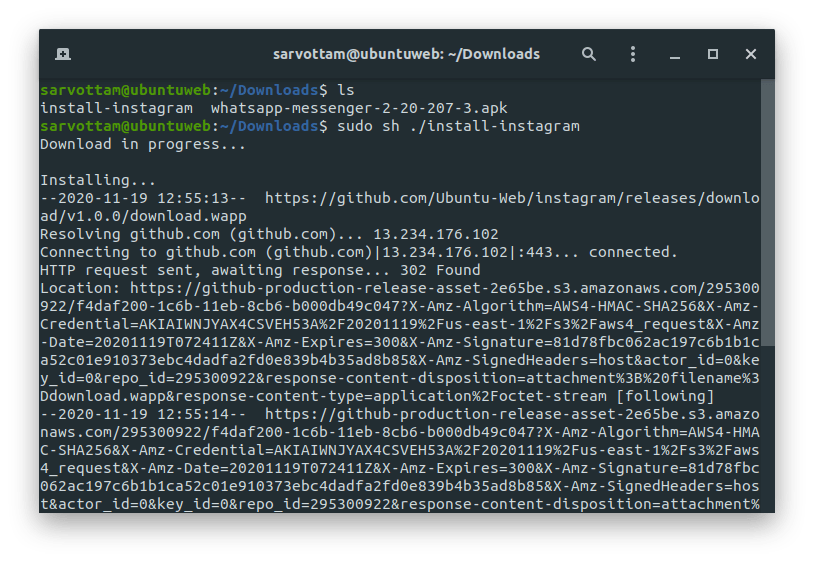
And to install apps? Ubuntu Web features an official yet experimentalOpen Web Storeto download packaged web applications. Once you download the package from the store (in original a script), install it by running the command:
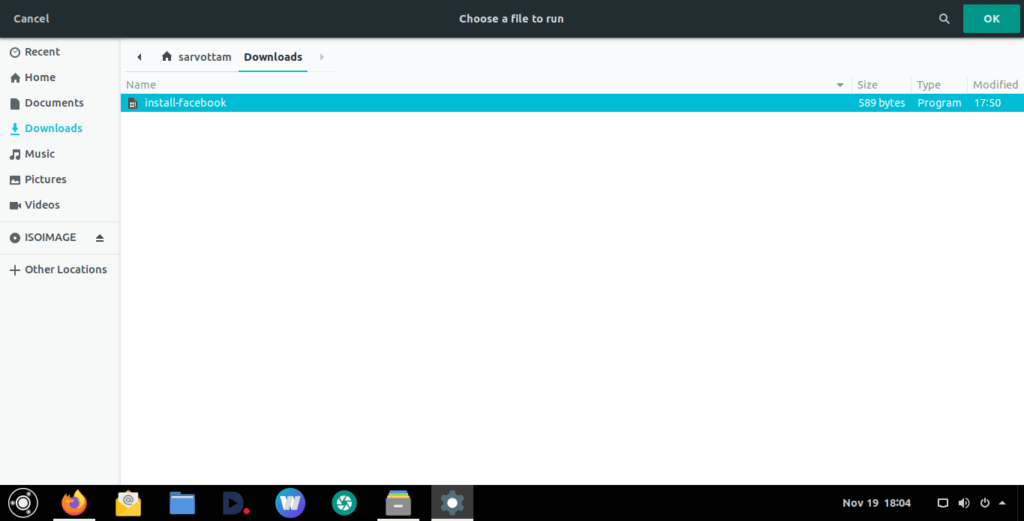
Or, you’re able to also install without using terminal by first searching for ‘Run a file’ in the application launcher and then select the downloaded file and click ‘OK’.

After authentication, the app will be successfully installed.
Currently, it offers tons of unofficial and already packaged web applications such as DTube, Twitter, Facebook, Instagram, Mastodon, YouTube, SoundCloud, Google Drive, Google Classroom, and Opendesktop.
Obviously, you can also install otherLinux desktopapplications usingaptcommand line tool.
Surprisingly, Ubuntu Web does come withAnboxtool by default to install Android apps. I tried Anbox on Virtual machine and it works well there too.
If you use/e/Foundation’s Cloud Services, then Ubuntu Web gives you out-of-the-box support for integration. As Rudra Saraswat quotes Ubuntu Web will have tighter integration with the /e/ App Store too in near future.
At last, if you want to give it a spin, donwload the ISO image availablehereor torrent file fromhere.
