This article dives deep into understanding CPU bottlenecks and suggests workarounds and proper configurations.
Understanding the relationship between your CPU and GPU is crucial in today’s gaming landscape. Modern gaming engines such as Unreal Engine 5 introduce ray tracing, which simultaneously taxes the CPU and GPU. Back in the 2008 era, you needed to pair a strong GPU and an average CPU; the GPU performance was a big highlight, whatever you played, only a strong GPU would do, but nowadays, things have changed. This article will help you with today’s requirements, as a proper GPU and CPU combination can be challenging to build.

Understanding CPU Bottlenecks
A CPU bottleneck occurs when your processor cannot process or feed data to your graphics card as required. For example, consider the GPU as a head chef slicing and chopping food, and the CPU as the helper, who is washing the food for him. If the CPU (helper in this case) is not fast enough, the GPU has to wait, and its true potential (which you handsomely paid for) is not utilized correctly. This hampers gaming performance as your framerates won’t be satisfactory. Let’s say you’ve spent a fortune on an RTX 5090 but are pairing it with a Core i5 13600K, and the framerates you see on screen simply won’t satisfy you.
CPU bottlenecking means more than just lower framerates. When your CPU struggles to keep pace with your GPU, you’ll experience performance inconsistencies. This happens due to frame stuttering, where the framerate fluctuates, hampering your 1% and .1% lows. Despite having high framerates, the overall experience will be nearly unplayable.

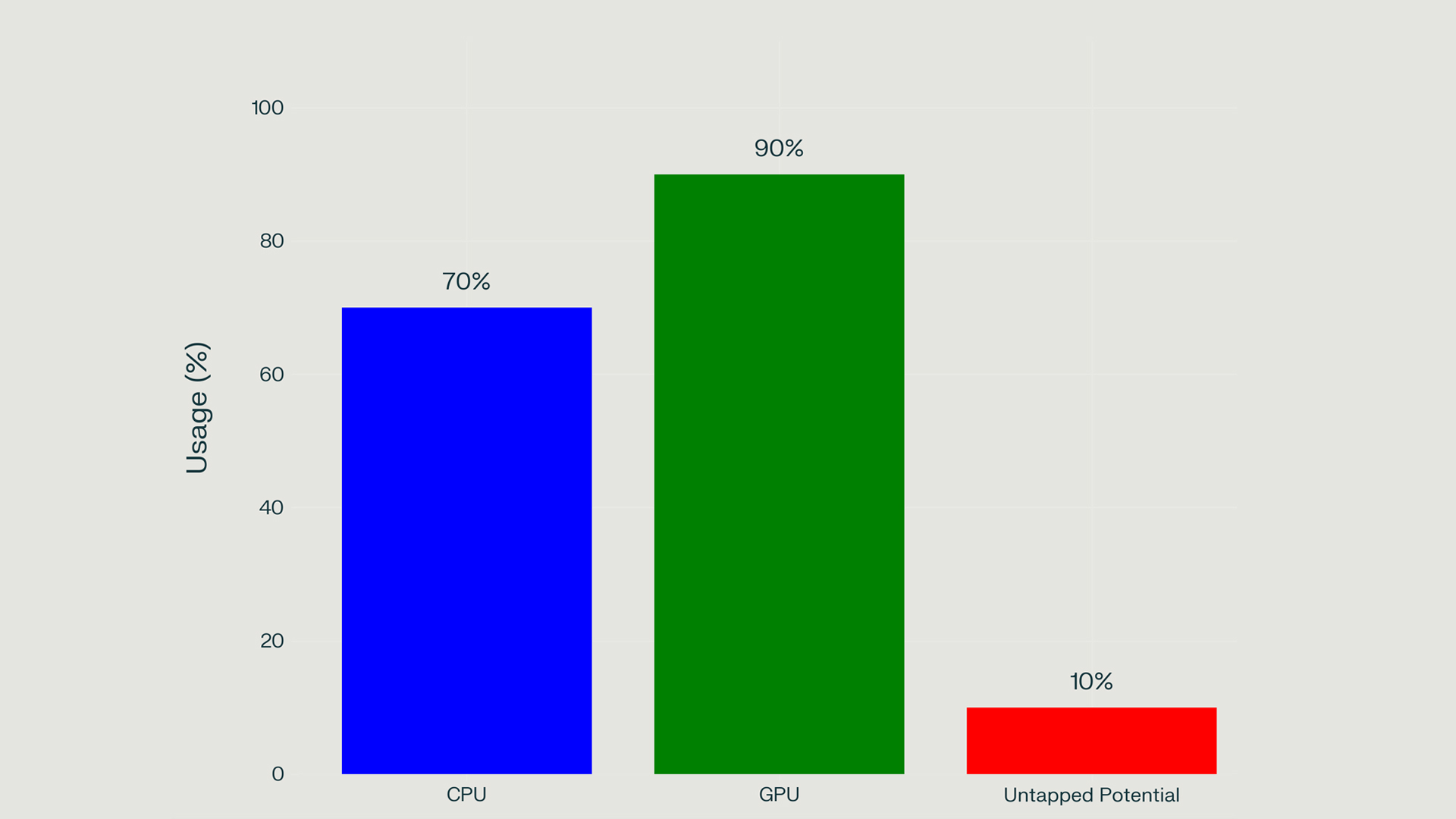
The CPU must also deal with other factors, including input/output operations, mathematical calculations, and game logic processing. The chart showing 70% CPU usage highlights an approximate situation where the CPU struggles to keep up. Most games that prefer single-core performance outdate a CPU faster than titles that prefer multi-threading, explicitly using the Vulkan API. Games built with DirectX 12 and 12 Ultimate prefer multithreading, but a weaker single-core performance won’t do much with multicore either.
All of the factors combined, and the gaming state of 2025, you need to spend handsomely on a CPU when gaming is considered. You cannot get away with a budget CPU and a high-end GPU. A budget CPU also bottlenecks a modern mid-range GPU. You should consider these factors, discussed below, before making a pairing.

How to Identify a CPU Bottleneck
Identifying a CPU bottleneck requires careful monitoring of system performance. Here are some reliable methods to determine if your CPU is limiting your GPU’s potential:
The Resolution Test
A simple but effective test involves changing your game’s resolution settings. Since higher resolutions primarily tax the GPU rather than the CPU:\
This test works because lower resolutions reduce GPU workload but expose potential weaknesses within the CPU.

Advanced Metrics: GPUBusy
For more technical analysis, tools like CapFrameX with Intel’s PresentMon integration can display “GPU Busy” metrics that show how actively your GPU is processing frames. If this value consistently falls below 90% or fluctuates significantly (high deviation), it indicates that your CPU simply isn’t fast enough for your GPU. The Chef has to wait a long time before his helper arranges things for him.
Popular Game/GPU Combinations and Bottleneck Analysis
Counter Strike 2 with RTX 4070 Ti and Core i5 13600K
Even with tuned DDR5 7200 memory, proper CPU-to-GPU utilization can’t be expected, either due to developer integration or the fact that the CPU isn’t fast enough. The image above represents Intel’s Presentmon. The GPU has to wait, in milliseconds, before the CPU, indicating why the GPU usage is lower than 99%.
Dota 2 with RTX 4070 Ti and Core i5 13600K
The same issues with Counter-Strike 2 can be seen here. Although the experience is exceptionally smooth, this demonstrates that not all the time is a bottleneck that can be blamed solely on the CPU and GPU combination. Game engine implementations and limitations can also hinder performance on even the most powerful rigs.
Solutions to Address CPU Bottlenecks
When facing CPU bottlenecks, you can take the following measures before making a direct purchase decision, such as upgrading your hardware. Sometimes, background tasks or malware, if infected, can eat up your CPU resources.
Software-Based Approach
Hardware Adjustments
Hardware Upgrades
You may look forward to buying new hardware when software options fail to meet your requirements.
Conclusion
CPU bottlenecking is a complex issue that varies significantly across games, hardware combinations, and sometimes game implementations. Understanding how to identify and address these bottlenecks can be very helpful. Remember that every system will have a bottleneck, at least on some level, even beyond the CPU. Perfect synchronization between components is something even modern-generation hardware fails to offer.
Looking For More Related to Tech?
We provide the latest news and “How To’s” for Tech content. Meanwhile, you’re able to check out the following articles related to PC GPUs, CPU and GPU comparisons, mobile phones, and more: